
@kilocode/cli, for headless use).
Protocol: OpenAI-compatible
- Base URL:
https://api.orcarouter.ai/v1(includes/v1) - Model IDs use the
vendor/modelformat — the simplest isorcarouter/auto
VS Code extension
- Install Kilo Code from the VS Code Marketplace (open the Extensions panel and search “Kilo Code”), then open it from the Kilo Code icon in the Activity Bar (the left icon strip). In the panel, click the ⚙ gear in the top-right to open settings.
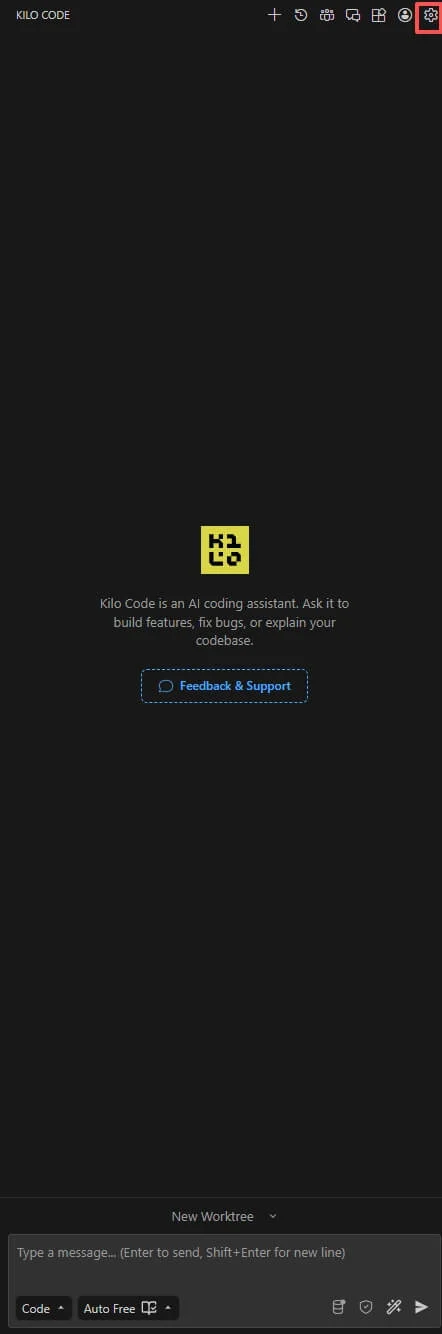
- Go to Providers. Under Popular providers, find Custom provider (“Add an OpenAI-compatible provider by base URL”) and click + Connect.
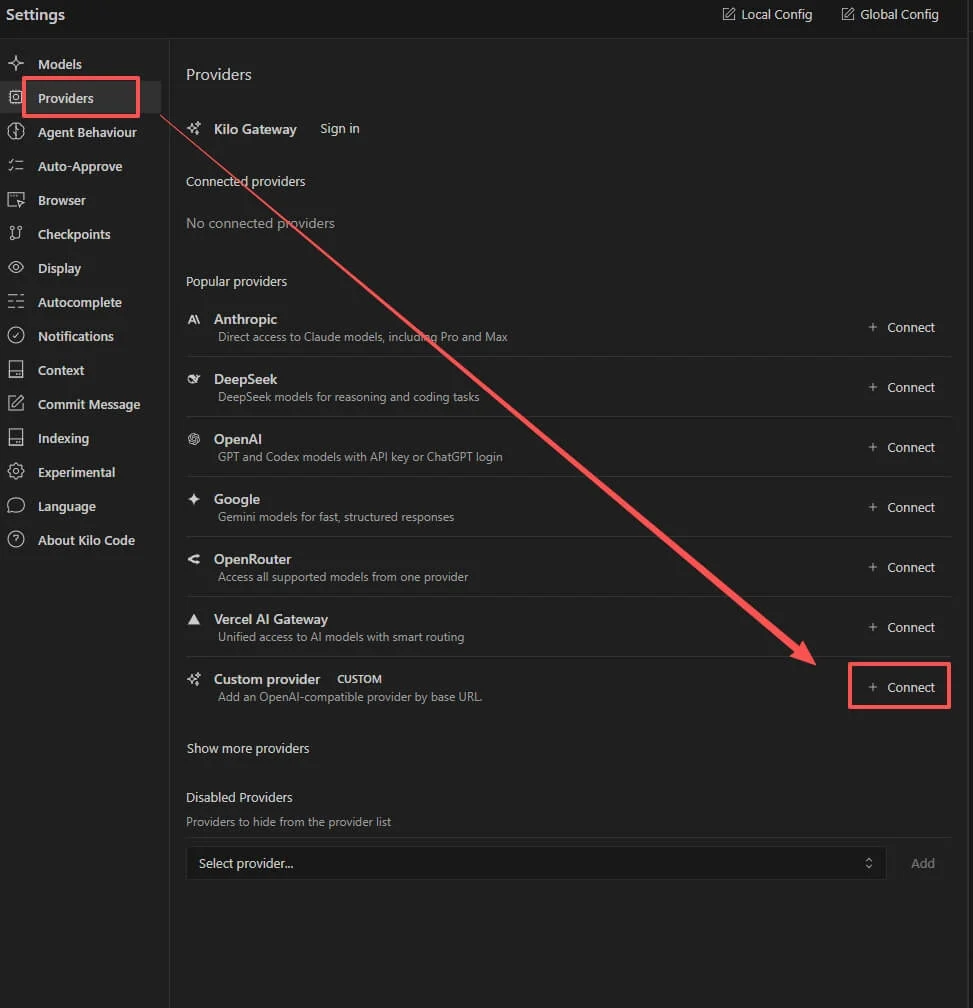
- Fill in the provider fields:
- Provider ID:
orcarouter(lowercase letters, numbers, hyphens, or underscores only — no slashes;orcarouter/autois rejected here). - Display name:
OrcaRouter(anything you like). - Base URL:
https://api.orcarouter.ai/v1 - API key: your OrcaRouter key (
sk-orca-...).
- Provider ID:
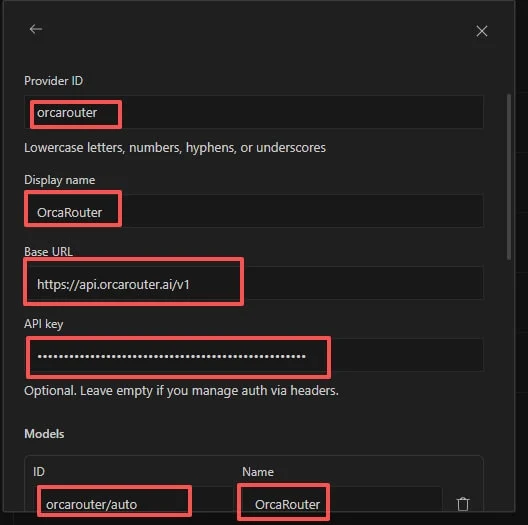
- Choose your models. Once the key and base URL are valid, Kilo Code fetches the
live model list from OrcaRouter — tick the ones you want (or Select all),
then click Submit. To use auto-routing, also + Add model with the
model ID
orcarouter/auto(it’s a routing alias, so it won’t appear in the fetched list).
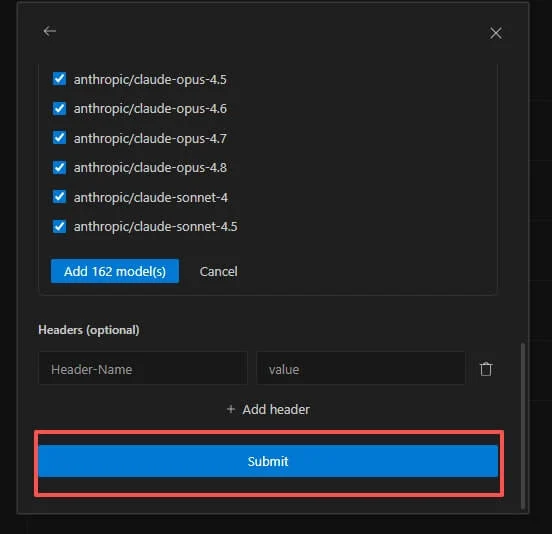
- The provider now shows under Connected providers as OrcaRouter (CUSTOM).
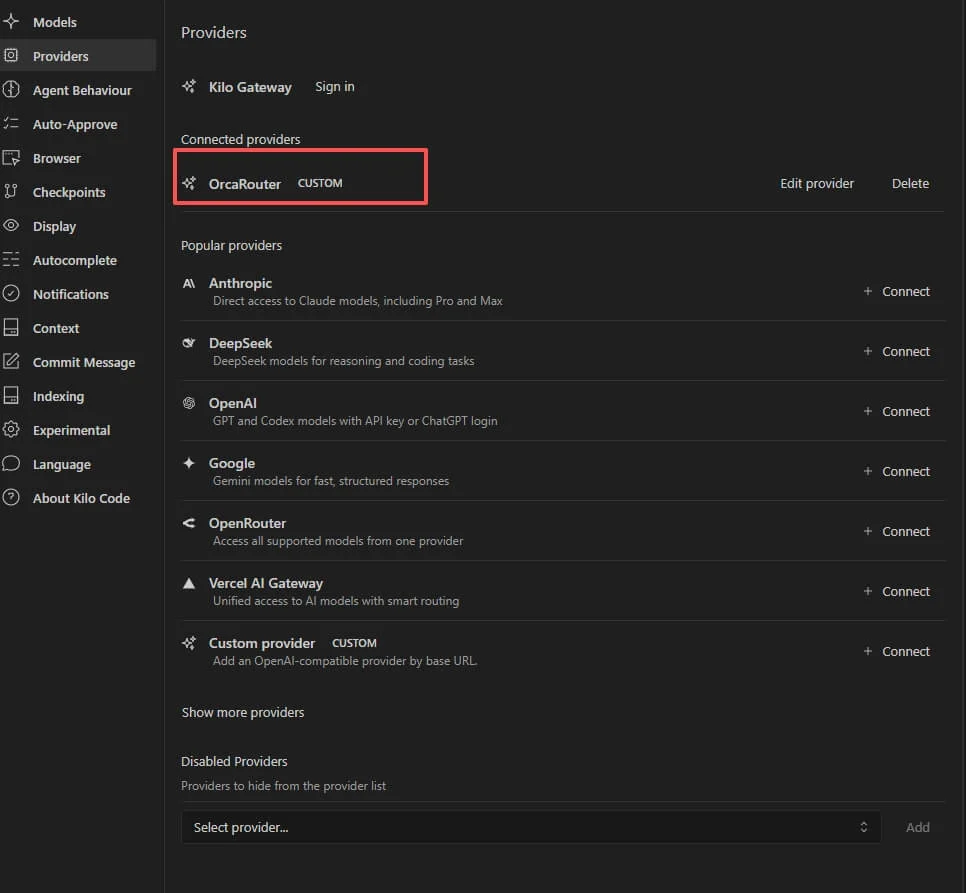
- Select the OrcaRouter model in the chat panel’s model picker and send a test message — a reply confirms the connection.
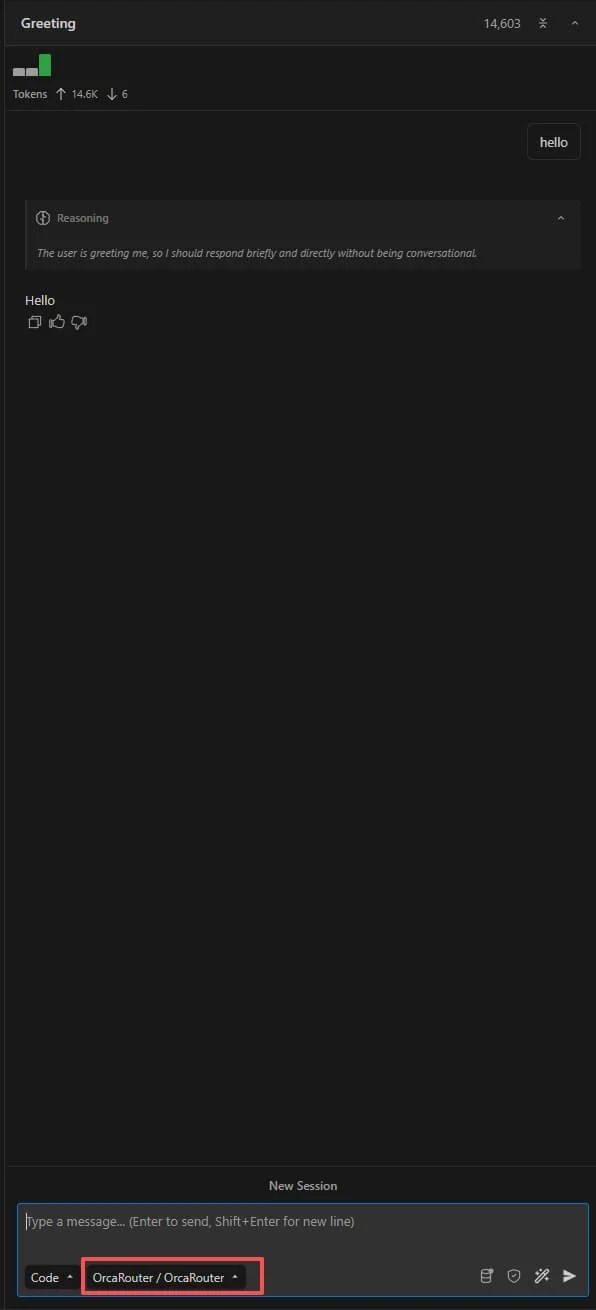
On a large repository, Kilo Code may first ask whether to wait for its snapshot
system to initialize — choose Disable for this project to skip it (git still
tracks everything) so the request goes through.
The JetBrains plugin uses the same Custom provider with the identical
base URL / key / model values.
CLI
For headless / scripted use, install the CLI.Install
kilo.
Configure
Config file:~/.config/kilo/kilo.jsonc (also accepts kilo.json; project-level ./kilo.jsonc overrides).
anthropic/claude-opus-4.8 or google/gemini-2.5-flash. Model IDs use the vendor/model format.
Run
"type":"text" and "text":"OK".
Notes
- The
base_urlincludes/v1. - Model references use
provider/model. Because the provider is namedorcarouterand the model ID also carries avendorprefix, the reference is three segments:orcarouter/orcarouter/auto(ororcarouter/anthropic/claude-opus-4.8). - Headless mode is
kilo run "<prompt>" --auto(or pipe the prompt via stdin).--format jsongives a machine-readable event stream. - Reasoning/thinking: use the
--variant <name>flag for provider-specific reasoning effort (e.g.high,max,minimal), and--thinkingto display thinking blocks.